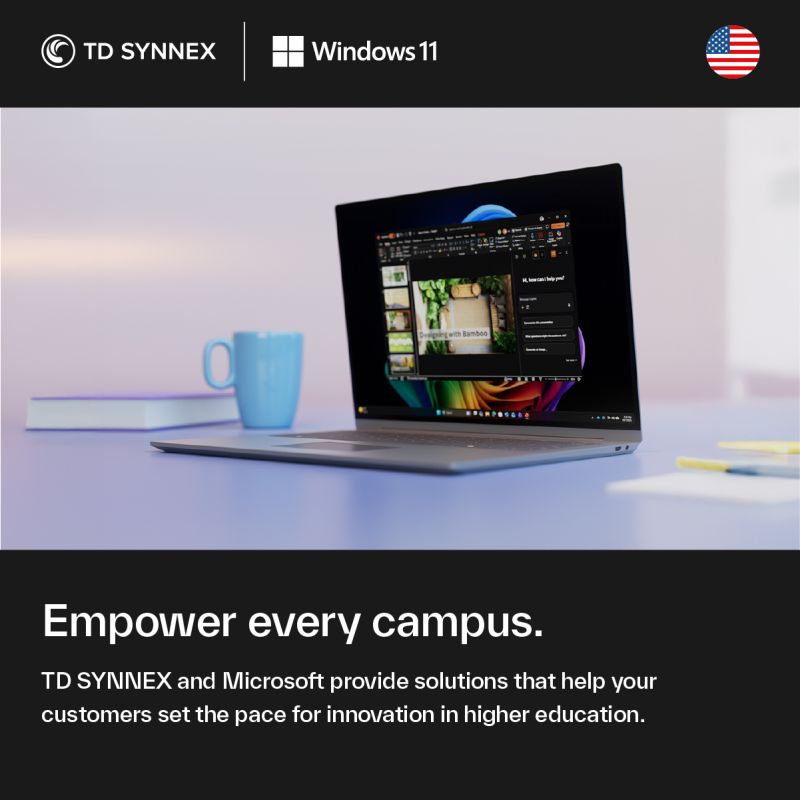
What are Copilot PCs for education?
Copilot PCs for education are Windows 11 Pro devices designed to bring AI capabilities into teaching, learning, research, and campus operations.
They combine Windows 11 Pro, Microsoft 365, Microsoft Copilot, and TD SYNNEX’s education expertise to help institutions:
- **Support AI-driven learning and operations**: AI is reshaping how campuses run, how faculty teach, and how students learn. Copilot PCs provide the AI performance and efficiency needed to keep up with these changes and prepare for what’s next.
- **Improve day-to-day productivity**: Features like Recall, Click to Do, and enhanced Windows search are designed to save time when finding and editing content, helping staff and students work more efficiently.
- **Strengthen security and compliance**: Built-in security from chip-to-cloud and tools like Microsoft Purview Data Loss Prevention (DLP) for Recall (in preview) help protect sensitive student and institutional data.
- **Build an AI-ready workforce**: Integration with GitHub Copilot, LinkedIn Learning, and Microsoft 365 Copilot gives students hands-on experience with tools they are likely to encounter in the workplace.
- **Support inclusive and accessible learning**: Accessibility features such as Immersive Reader, Live Captions, and multi-language support help institutions scale more equitable learning experiences.
In short, Copilot PCs are intended to help education leaders reimagine how technology supports teaching, research, and administration, while keeping security and manageability in focus.
How do Copilot PCs improve security and device management on campus?
Copilot PCs are built to help IT teams secure and manage devices more consistently across the institution.
**Security that scales across campus**
- **Chip-to-cloud protection**: Copilot PCs include Microsoft Pluton (built in on all Copilot PCs and hardware dependent on other Windows 11 PCs) and support Secured-core PC capabilities to help protect identities, data, and core system processes.
- **Endpoint protection**: Microsoft Defender (sold separately) adds threat protection and helps reduce risk from malware and other attacks.
- **Automated updates**: Windows Autopatch (sold separately) helps keep Windows and Microsoft 365 apps up to date, reducing exposure to known vulnerabilities.
- **On-device AI for security**: On-device AI capabilities can assist in keeping institutional data safer by helping detect and respond to risks closer to where data is created and used.
**Integration across the Microsoft ecosystem**
- **Unified management**: With Microsoft Intune (sold separately), Microsoft Entra ID, and Windows Autopatch working together, IT can manage devices, updates, and security policies from a single, connected ecosystem.
- **Data protection and compliance**: Universities can use Microsoft Purview Data Loss Prevention (DLP) protection for Recall (in preview, requires Microsoft 365 E5 and Intune) to help safeguard sensitive information, protect student records, and support compliance requirements.
According to a Principled Technologies report commissioned by Microsoft (April 2023), institutions using Windows 11 Pro devices saw **fewer security incidents compared to Windows 10 models**, along with **faster workflows** on average. These improvements help IT teams spend less time on reactive support and more time on strategic initiatives.
How do Copilot PCs support teaching, learning, and student employability?
Copilot PCs are designed to help educators, students, and researchers use AI in practical, campus-ready ways.
**Enhancing teaching and learning**
- **Microsoft 365 Copilot integration** (per-user license sold separately, requires an eligible Microsoft 365 plan) helps faculty and staff draft content, summarize documents, and prepare materials more quickly, so they can focus more on instruction and student engagement.
- **Smarter workflows**: Features like Recall, Click to Do, and improved Windows search help users save time finding and editing content, which can streamline lesson planning, grading, and research tasks.
**Building an AI-ready workforce**
- **GitHub Copilot** integration gives students exposure to AI-assisted coding, helping them learn modern development practices.
- **LinkedIn Learning** access helps students and staff keep skills current with courses aligned to in-demand roles and technologies.
- Together with Microsoft 365 Copilot, these tools help students build practical AI and productivity skills they can carry into internships and jobs.
**Supporting inclusive and accessible learning**
- **Immersive Reader** in Windows 11 Pro supports reading comprehension and focus for a wide range of learners.
- **Live Captions** can translate video and audio subtitles into English from 40 languages, and from 25 languages into Chinese (Simplified), helping multilingual and hearing-impaired learners participate more fully.
- **Multi-language support** across Windows 11 Pro and Microsoft 365 Copilot helps institutions serve diverse student populations.
Overall, Copilot PCs help institutions rethink how they deliver instruction, support research, and prepare students for an AI-shaped workplace, while keeping accessibility and equity in view.




 Sign in with LinkedIn